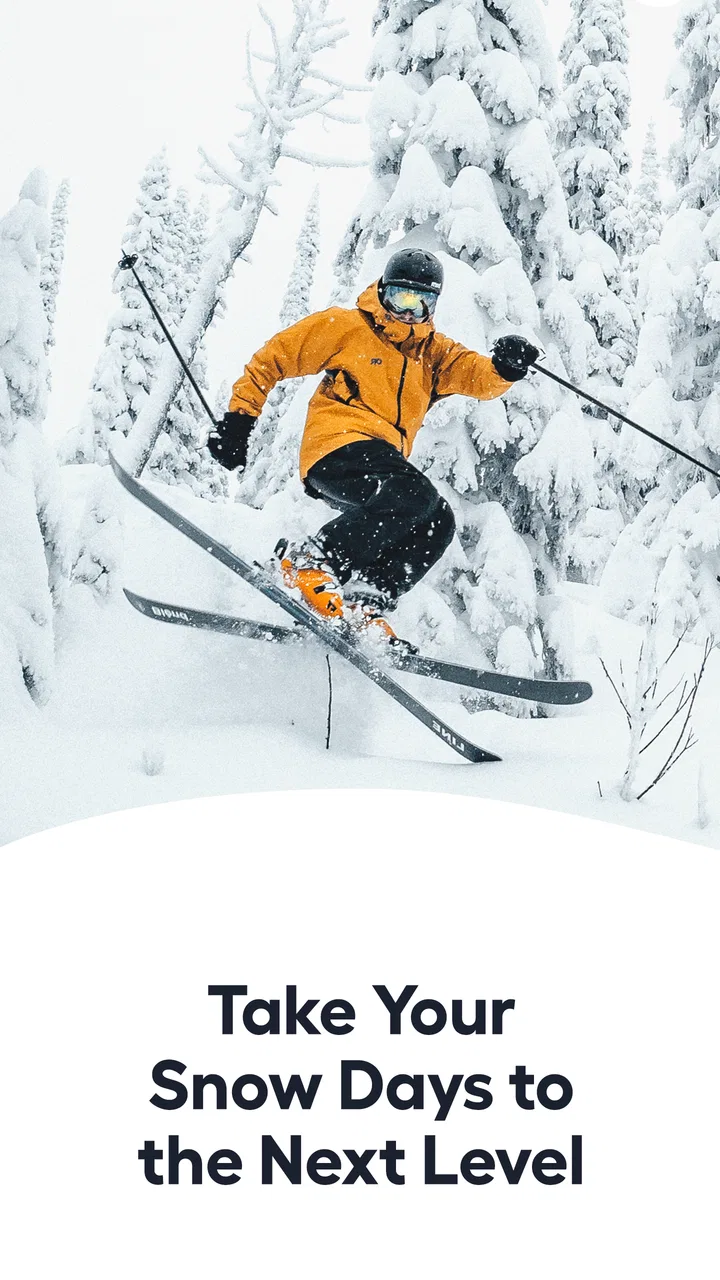
Slopes: Ski & Snowboard
- 4.8
- Rating
- 500.00K
- Installs
- Free
- Price

 Analysis by App-foxy
I used Slopes: Ski & Snowboard as the kind of companion you keep open during a full day on the mountain rather than as an app you check once and forget. Its purpose is straightforward: record skiing or snowboarding activity, turn it into understandable stats, and put resort information close at hand. That sounds simple, but the difference is in how useful those details become when your day is split between lifts, runs, weather changes, and short breaks.
What I like most is that the app gives a day on the slopes a clear shape. Instead of relying on memory to decide which runs felt fastest or how much ground I covered, I can look back at a recorded session and see a more organized picture. The app belongs to the Sports category, comes from Breakpoint Studio LLC, and is free to install. It is rated for Everyone, so it is approachable for families and casual users as well as experienced riders.
The audience response is strong, with an average rating of 4.8 from around 14 thousand ratings, and the app has passed 500 thousand installs. Those figures do not replace personal experience, but they do suggest that this is not a niche experiment. I found it most convincing when treated as a practical tracking tool, not as a substitute for local mountain knowledge or a guarantee that every map and condition detail will match what I see on the ground.
You May Also Like

 Google Keep - Notes and lists
Google Keep’s Quiet Growth Shows the Appeal of Simpler Notes
As mobile work gets busier, Google Keep keeps winning a simple contest: capture a thought quickly, find it later, and get on with the day.

 Blood Strike: 2.5 Anniversary
Blood Strike’s Loadouts Turn Every Drop Into a Tactical Gamble
A close look at Blood Strike’s custom loadouts: how fast access to signature weapons reshapes its battle royale rhythm, rewards preparation, and narrows the gap between fights.

 Pandora - Music & Podcasts
Pandora’s Music Is Easy to Start, but Harder to Recover
Pandora’s strength is its low-effort path from a seed to a station. Its weak spot is how much confidence it asks you to place in connection, setup, and quiet recovery.

 8 Ball Pool
 Is Built on Rivalries, Rematches, and Routine
A close look at the rivalries, rematches, shared routines, and unanswered safety questions that turn a quick pool match into a persistent mobile community.

 Samsung Music
’s Quiet Strength Is Playing What You Already Own
Its reach comes less from spectacle than from dependable access to a personal library. That simplicity is both the app’s strongest retention engine and its ceiling.

 AccuWeather: Weather Radar
AccuWeather Review: A Quick, Clear Forecast for Everyday Decisions
For everyday plans, the best forecast is the one you can understand quickly. AccuWeather makes rain timing, radar, and local conditions easy to act on, with a few trade-offs.
More From Our News Desk



How quickly it feels useful on a ski day
The first impression is less about flashy presentation and more about reducing the work involved in tracking a session. A good ski tracker should disappear into the background once the day begins. I do not want to spend the first lift ride configuring an elaborate dashboard, and I do not want to interrupt a run to manage data. Slopes makes the idea of recording a day feel more natural because the useful result comes after activity has accumulated.
That matters for perceived speed. An app can be technically capable yet feel slow if every useful view takes too much searching. Here, the value is clearest when I open a session summary and immediately understand the day: where I went, how the activity was divided, and which statistics are worth remembering. The experience feels quicker when I decide in advance what I actually want to learn from the day instead of trying to inspect every available detail.
For a first-time user, I would keep the goal modest. Start a day, let the app capture the outing, and review it during lunch or after returning home. That workflow avoids the common mistake of treating a tracker like a live control panel. The app is more enjoyable when it supports skiing rather than competing with it for attention.
There is also a useful distinction between speed in the interface and speed in the real world. Resort maps and slope conditions can help me make a decision faster, but they cannot remove the need to check signs, staff guidance, visibility, or changing snow. I see the map as a planning aid: useful for orienting myself and choosing a direction, but not something I would follow blindly in unfamiliar terrain.
When quick feedback is genuinely helpful
A short break is the best moment to use the app. Suppose I have spent the morning repeating familiar runs and now want to decide whether to explore another part of the resort. A glance at the recorded session can show whether I have actually covered the area I intended to ski. That is more useful than opening the app after every run, because the pattern becomes clearer once several runs are grouped together.
I also found the historical angle more valuable than I expected. When conditions are good, it is easy to remember a day as simply “great.” A recorded summary gives that memory more detail. I can compare how a relaxed day felt with a more ambitious one, then plan future outings around the type of skiing I actually enjoy rather than the type I imagine I enjoy.
My practical tip is to review only a few indicators at first. Look for the information that changes your decisions: route coverage, time spent moving, or whether a particular area was worth returning to. Trying to interpret every number can make the app feel busier and slower than it needs to be.
What happens during heavy use
The demanding part of a ski-tracking app is not usually opening a screen. It is the long session: repeated lifts, changing locations, intermittent phone use, and the possibility of poor connectivity. Slopes is designed around that kind of outing, so its usefulness depends on staying unobtrusive while the day unfolds. I would judge it less by a single quick launch and more by whether it remains practical from the first run to the final lift.
Long sessions create a trade-off for any location-based tracker. The more consistently a phone records movement, the more carefully I need to manage battery and device temperature. I would begin a mountain day with a well-charged phone, avoid unnecessary background apps, and carry a small power bank if I expect to stay out for hours. That is not a criticism unique to this app; it is part of using a phone as an activity recorder in cold conditions.
Cold weather makes the device itself less predictable. Touchscreens respond poorly through thick gloves, and removing a phone repeatedly increases the chance of dropping it or exposing it to snow. My preferred routine is to start the session before riding, keep the phone protected, and use the app during sheltered breaks. This also improves safety because I am not checking a screen while moving.
Heavy use is where the app’s maps and condition information can be most tempting. They are valuable before choosing the next area, especially when I am unfamiliar with a resort. Still, I would treat live-looking information as one input among several. A closed lift, sudden visibility problem, or local instruction can matter more than anything displayed on a phone. The app helps me prepare; it does not replace the mountain’s signs and staff.
A realistic full-day workflow
Imagine arriving shortly before the lifts open. I would open the app, prepare the day’s tracking, and then put the phone away. After a few runs, I might check the map during a coffee stop to see where I have actually been. If the afternoon becomes crowded or visibility changes, I would use the resort information to support a decision, not to keep browsing while standing in a busy passage. At the end of the day, I would review the summary somewhere warm and save the observations that could improve my next visit.
That workflow reveals one of the app’s less obvious strengths: it can turn a vague day into a sequence of decisions. Did I spend too long crossing the resort? Did I keep returning to the same zone because it suited my ability? Did the route I planned make sense once lifts and breaks were included? The answers are more useful than chasing a single impressive statistic.
There is a corresponding limitation. If I want a completely passive experience with no interest in reviewing sessions, much of the app’s appeal disappears. The tracking still has value, but the real payoff comes from looking back and learning from the record. Riders who never revisit their activity may prefer a simpler resort map or weather tool.
Reliability when the mountain gets complicated
Reliability for Slopes is not just whether it opens. It is whether the recorded outing remains coherent after a day of movement, pauses, and changing conditions. In my view, the app is most dependable as a personal log and planning companion. I would be more cautious about treating any automated route record as a perfect account of every turn, especially when the phone is stored away, the signal environment changes, or the day includes long stationary periods.
That distinction is important for interpreting stats. A tracker can help me compare days, but the numbers should be read as a consistent reference rather than laboratory-grade measurement. If one outing says I was more active than another, that may be a useful direction for reflection. It does not mean I should argue over tiny differences or use the result as a formal performance assessment.
The same principle applies to slope conditions. Conditions change faster than a screen can communicate, and a resort can feel very different from one section to another. I would check the app before setting out, then confirm the situation visually and through official mountain information. This layered approach makes the app more reliable in practice because I am not asking it to solve a problem it cannot solve alone.
Recovery is another part of reliability. If a session is interrupted, the important question is whether I can return to the app without losing the whole point of the day. I would build a habit of checking the tracker during breaks, particularly after a long period with the phone stored away. If something looks incomplete, I would treat the summary as a partial record instead of trying to reconstruct every detail from memory.
Where the app earns trust, and where I stay cautious
I trust the app most for reflection: reviewing the shape of a day, remembering which areas I explored, and making future plans. I am less willing to depend on it for navigation in poor visibility, urgent decisions, or exact technical analysis. That is not a weakness in the concept; it is a sensible boundary for a phone-based sports tracker.
One useful habit is to compare the app’s record with my own notes about snow, crowds, and fatigue. The app can tell me what I did, while a short personal note explains why the day felt successful or disappointing. Over time, that combination is more informative than either source alone. It can reveal that a shorter day on better snow suited me more than a longer day spent chasing distance.
The free price makes this experimentation easy. I can try the central tracking experience without committing money at the start. However, in-app purchases range from $3.99 to $59.99 per item, so I would inspect the purchase screens carefully before unlocking extras. The sensible approach is to decide what information I genuinely need and avoid paying simply because a larger collection of statistics looks impressive.
Device limits, operating system, and everyday friction
The current version is 2026.8, and the app runs on devices using Android 8.0 or later. That gives it a broad reach, but compatibility is not the same as identical performance on every phone. A newer device with a strong battery and a bright screen will be more comfortable on a mountain than an older handset that already struggles with cold, storage, or background activity.
Screen visibility deserves attention. Resort maps are only useful if I can read them without standing in an unsafe place or repeatedly removing gloves. I would prepare the route before starting a run and keep live checking for designated stopping points. A phone with a protective case and a secure pocket is a better match for this app than a device I am afraid to expose to snow.
Storage and connectivity can also shape the experience. I would prepare for the possibility that a resort day will not offer a strong connection everywhere. Even when an app is built for mountain use, I would not assume that every piece of information will refresh instantly in every lift line or remote area. Checking key details before leaving a reliable connection is a sensible precaution.
Another constraint is attention. Slopes encourages measurement, and measurement can become a distraction. If I find myself stopping repeatedly to inspect progress, I am using the app badly. The best setup is one in which the tracker records quietly and the review happens during planned pauses. This is especially important for beginners, children, and anyone skiing in a group where constant phone checks slow everyone down.
The age rating of Everyone makes the app suitable for a wide audience, but younger users still need sensible supervision on the mountain. An age label does not change the risks of cold, speed, lifts, or separated groups. I would use the tracking features to support a family plan, not as a reason for a child to manage a phone while riding.
Who should use it and who should skip it
I would recommend Slopes to riders who enjoy seeing how a day develops, people visiting several parts of a resort, and anyone who likes turning outings into a personal record. It is also a good fit for friends who want to compare experiences informally without carrying a separate device dedicated to tracking. The free entry point makes it easy to discover whether that style of skiing appeals to you.
I would skip it if my only need is a basic weather check, a static trail map, or a quick answer about whether a lift is open. A focused resort tool may be faster for that single purpose. I would also avoid making it central to my routine if I dislike reviewing activity afterward or if my phone’s battery is already unreliable in cold weather.
Compared with a dedicated sports watch, a phone app is easier to install and review on a large screen, but the phone is more awkward to access while wearing gloves. Compared with manual notes, Slopes reduces the effort of remembering where I went, though manual notes can capture mood, snow quality, and technique more personally. Compared with a simple map, it offers a richer record of the day, but that richness only matters if I use it thoughtfully.
My performance verdict after using it as a mountain companion
Slopes: Ski & Snowboard performs best when I expect a long, active day and want a useful record without carrying specialized equipment. Its perceived speed comes from a workflow that can stay in the background, while its strongest moments arrive during breaks and after the final run. The app is not something I would judge by how many screens it contains; I would judge it by whether the information helps me make better choices and remember the day accurately enough to plan the next one.
Its limitations are practical rather than surprising. Battery, cold, connectivity, screen visibility, and user attention all affect the experience. The app cannot replace signs, staff, local judgement, or safe mountain habits. Its statistics also deserve interpretation instead of blind trust. Once I accept those boundaries, the tracker becomes more useful because I am using it for comparison and reflection rather than demanding perfect measurement.
Breakpoint Studio LLC has made a sports app that suits curious skiers and snowboarders more than people who want a completely hands-off utility. I would start with the free version, test it on an ordinary outing, and decide later whether the paid items add something I will actually use. If you enjoy looking back at routes, understanding your habits, and planning the next resort day with more than a vague memory, Slopes: Ski & Snowboard is an easy recommendation. If you want only immediate conditions or the lightest possible phone use, a simpler alternative may be the better choice.
FAQs for Slopes: Ski & Snowboard
01What features does Slopes: Ski & Snowboard offer for tracking my skiing or snowboarding activities?
Slopes: Ski & Snowboard provides a comprehensive tracking experience with features like GPS tracking, detailed performance stats, and 3D replays of your runs. Users can view metrics such as speed, distance, elevation, and more. The app also supports Apple Watch integration for real-time stats on your wrist.
02Is Slopes: Ski & Snowboard available for both Android and iOS devices?
Yes, Slopes: Ski & Snowboard is available for both Android and iOS platforms. Users can download it from the Google Play Store and Apple App Store, ensuring compatibility with most smartphones and tablets. Make sure your device meets the necessary system requirements for optimal performance.
03Does Slopes: Ski & Snowboard offer a free version or is it a paid app?
Slopes offers a free version with basic features, allowing users to track their activities. However, to unlock advanced features like 3D replays and detailed historical data, users can opt for a premium subscription. The subscription model offers flexibility with monthly and yearly plans.
04How accurate is the GPS tracking in Slopes: Ski & Snowboard?
The GPS tracking in Slopes is highly accurate, designed to provide precise data on your skiing or snowboarding sessions. While GPS accuracy can vary based on environmental factors, Slopes uses advanced algorithms to optimize data accuracy, ensuring you receive reliable stats and insights.
05Can I use Slopes: Ski & Snowboard offline, and how does it handle data syncing?
Slopes can be used offline, allowing you to track your activities without a mobile data connection. The app stores data locally and automatically syncs your sessions to the cloud once you regain internet access, ensuring your information is always up-to-date and safely backed up.
Pros
- Intuitive interface for easy navigation.
- Tracks detailed performance stats.
- Integrates with health apps seamlessly.
- Offers offline maps for remote areas.
- Supports both skiing and snowboarding.
Cons
- Requires subscription for full features.
- Battery drain in GPS mode.
- Limited free version capabilities.
- Occasional GPS inaccuracies.
- May not cover all ski resorts.

Slopes: Ski & Snowboard
Gallery